
Heritage: Ancestry & Ethnicity
Denali DigitalLifestyle
4.5101.00 Reviews
- Version
- 1.0.11
- Installs
- 10.00K
- Age Rating
- Everyone
Screenshots

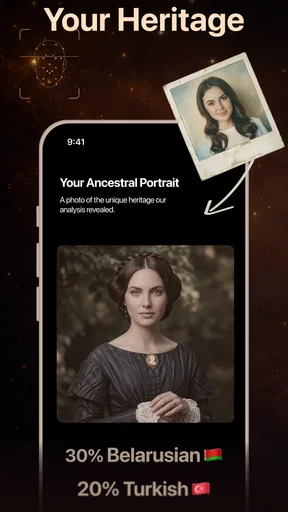
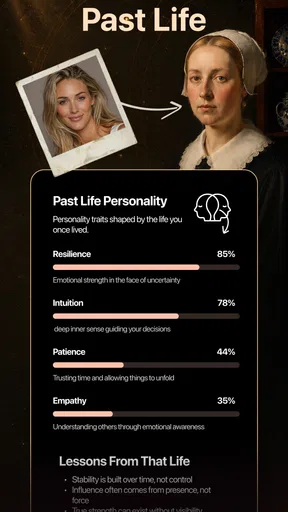
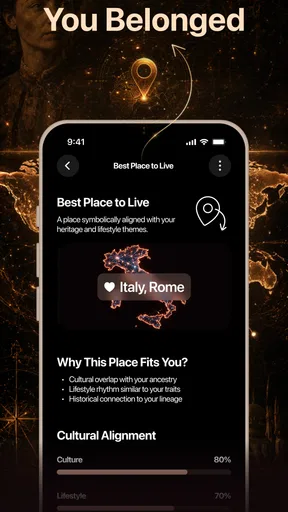
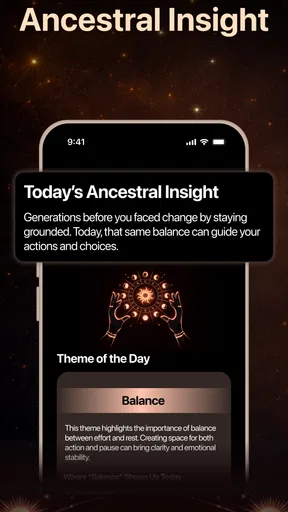
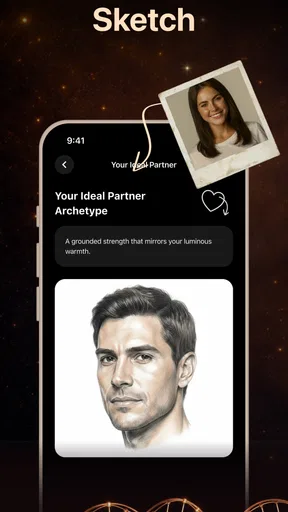
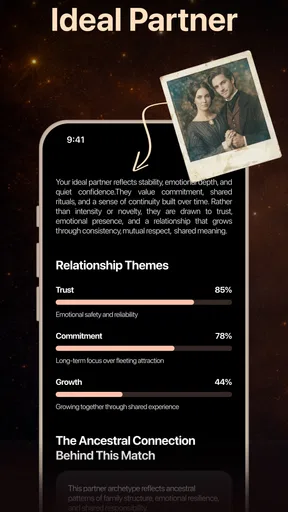
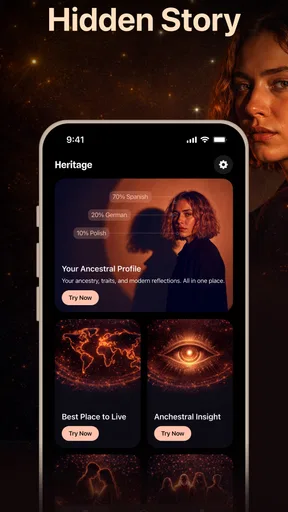
Our Review of Heritage: Ancestry & Ethnicity
 Analysis by Appyee
I approached Heritage: Ancestry & Ethnicity as a light, curiosity-driven lifestyle app rather than a serious genealogy service. Its central idea is simple: use one selfie to generate an AI-based ethnicity impression, explore a past-life angle, and create a soulmate sketch. That makes it easy to try and easy to share, but it also sets the right expectation from the start. I found the experience most enjoyable when I treated the results as imaginative prompts for conversation, not as proof of family history or identity.
That distinction shapes my overall verdict. Heritage can be entertaining for a quiet evening, a group chat, or a playful conversation with relatives. It is less suitable for anyone hoping to replace family records, DNA testing, or careful historical research. The app has a clear personality, and Denali Digital has kept the concept approachable, but the value depends heavily on whether you want entertainment or evidence.
What the selfie-based experience does well
The strongest part of the app is its low barrier to entry. You do not need to build a family tree, search archives, or understand genealogy terminology before getting started. A single portrait is the starting point, which makes the process feel immediate. For someone who is simply curious about how an AI interprets an image, that simplicity is appealing.
I also like that the app brings several related ideas together instead of forcing you to use separate tools. The ethnicity-oriented result speaks to heritage curiosity, while the past-life and soulmate elements move into a more playful, personality-focused space. Those themes are not interchangeable, but placing them in one app gives the experience a casual, almost conversational rhythm. You can look at one result, compare it with your own expectations, and then move on to a completely different kind of prompt.
The app is listed in the lifestyle category, and that feels accurate. I would not describe it as a research utility or a medical-style analyzer. It belongs beside other apps people open for reflection, amusement, and social sharing. Its content rating is Everyone, which fits the generally accessible concept, although younger users should still understand that an AI-generated interpretation is not the same thing as a verified statement about their background.
One useful way to approach the selfie is to choose a clear, ordinary portrait rather than an overly edited image. Heavy filters, dramatic shadows, sunglasses, or a group photo can make any image-based interpretation harder to take seriously. I found that treating the photo as input for a creative reading, rather than trying to “game” the result, leads to a more enjoyable session. If you are comparing results, use similar lighting and framing each time; otherwise, you may be reacting to changes in the picture rather than the app’s interpretation.
Another practical tip is to save your expectations before starting. If you already know your family history, the ethnicity result may be interesting mainly because it contrasts with what you have heard from relatives. If you know very little, it can be a conversation starter, but it should not become the foundation for a family story. That is an important trade-off: the app makes heritage feel approachable, yet the same simplicity can encourage people to read more certainty into the result than it deserves.
The soulmate sketch and past-life elements work best in a different mood. I would use them with friends who enjoy personality quizzes, visual prompts, or imaginative discussions. They can also be a fun way to break the ice on a long trip or during a relaxed gathering. The result is not valuable because it reveals a hidden fact; it is valuable because it gives people something specific to react to. Someone may disagree with the sketch, laugh at the interpretation, or use it to describe what they actually find attractive or familiar.
That social quality is a genuine strength. Many apps in this area produce a result and leave you with little to do afterward. Here, the different themes give you several routes into a conversation. A person might begin with ancestry, move to a past-life interpretation, and finish by asking friends whether the soulmate sketch resembles anyone they know. I would not call that deep analysis, but it is a more engaging use of a selfie than a one-line filter effect.
The app has earned a 4.5 average from around 4.7 thousand ratings, with over 10 thousand installs. Those figures suggest that the concept has found an audience among people who enjoy this kind of quick, personal experiment. They do not prove that every result is accurate or that every user will find the experience satisfying, but they do indicate that the app is not aimed at a tiny specialist group. It is built for broad, casual use.
Where the experience needs careful handling
The biggest weakness is the gap between the emotional weight of the subject and the playful nature of the method. Heritage and ethnicity can be deeply personal. A selfie cannot establish lineage, nationality, cultural belonging, or a family connection. Even a result that feels surprisingly familiar remains an AI-generated interpretation of an image. I would be particularly cautious about presenting it to relatives as evidence or using it to settle disagreements about family background.
This limitation does not make the app pointless, but it changes how I judge it. A genealogy platform normally earns trust through documents, records, family trees, or genetic analysis. Heritage does not occupy that role. If your goal is to trace an ancestor, confirm a migration path, or investigate a surname, a library archive, family interviews, or a dedicated genealogy service would be a better choice. Those alternatives take more time, but they answer a different and more serious question.
The same caution applies to the past-life feature. It can be enjoyable as a creative exercise, yet it should not be treated as spiritual confirmation or personal diagnosis. I would avoid making important emotional decisions based on any generated interpretation. The app is strongest when it encourages reflection without claiming authority over your identity, relationships, or history.
There is also a financial point to consider. The app is free to install, but in-app purchases range from $6.99 to $39.99 per item. That makes it important to pause before moving beyond the basic experience. A free entry point is useful for deciding whether the style suits you, but the cost of optional items can become significant if you keep exploring every available result. I recommend trying the core flow first and only paying when you have a clear reason to continue, rather than purchasing out of curiosity in the moment.
For families, I would set a simple rule: let children enjoy the creative side, but explain that the app is not a scientific test. The Everyone rating makes it broadly accessible, yet age suitability and factual reliability are not the same thing. A child may interpret a generated ethnicity result literally, especially if it conflicts with what parents or grandparents have said. A short conversation about the difference between entertainment and evidence can prevent confusion.
Privacy is another reason to be deliberate with your photo choices. I would use a normal portrait and avoid uploading an image containing other people, personal documents, or anything you would not want associated with an experimental app experience. I would also review the app’s current permissions and purchase screens before continuing. I cannot recommend treating any selfie-based service casually simply because the result is playful; a face is still personal information.
How it compares with familiar alternatives
Compared with a traditional genealogy app, Heritage is faster but much less useful for building a documented family history. Genealogy tools reward patience: you enter names, connect relatives, inspect records, and gradually form a supported picture of the past. Heritage rewards curiosity: you provide a selfie and receive an interpretation. If you want a research project, choose genealogy software. If you want a quick prompt for discussion, this app is the more accessible option.
Compared with a DNA ancestry service, the difference is even clearer. DNA testing involves a biological sample and a different kind of analysis, while this app works from a photograph and presents a lifestyle-oriented experience. Neither should be confused with a complete account of culture or identity, but DNA services are designed around genetic estimates rather than visual impressions. I would never use Heritage to replace a DNA test when the purpose is serious ancestry research.
Compared with ordinary photo filters, the app offers more narrative. A filter changes how a picture looks; Heritage tries to attach a story or interpretation to the person in the picture. That makes it more memorable, but also more sensitive. A visual effect is usually easy to recognize as fiction. A statement about ethnicity or a soulmate can feel personal enough that users may give it undue authority.
Compared with personality or horoscope apps, Heritage has a similar entertainment value but a more image-centered workflow. The selfie makes the experience feel personal immediately, while the multiple themes give you more variety than a single daily reading. The trade-off is that the result may appear more objective than it really is because it is tied to your face. I would keep the same healthy skepticism I use with any playful interpretation, even when the wording sounds confident.
Who will get the most from it
I think the best audience is adults and older teens who enjoy experimenting with AI-generated readings and want something easy to discuss with friends. It is also a reasonable choice for someone beginning to think about family heritage but not yet ready to commit to archival research. The app can act as a prompt: it may encourage you to ask grandparents questions, organize old photographs, or write down family stories. Its proper role is to start curiosity, not finish the investigation.
A realistic everyday use case would be a family evening where everyone has heard different versions of the family’s background. Each person could try a portrait, compare the playful results, and then move to the more valuable activity of asking relatives what they actually know. In that setting, the app works as an icebreaker. It gives the conversation energy without needing preparation, as long as everyone understands that the generated output is not a verdict.
It can also suit a person who wants a private creative prompt. You might use the past-life idea as the beginning of a journal entry, or use the soulmate sketch to think about the qualities you value in a partner. The benefit comes from your response to the result, not from assuming the app has discovered a hidden truth. That is a subtle but important distinction, and it is where I found the experience most rewarding.
I would advise skipping it if you need documented ancestry, scientific accuracy, or a dependable relationship assessment. It is also a poor fit for anyone who is likely to spend impulsively on repeated interpretations or who feels anxious when an automated result conflicts with their self-image. In those cases, a research-based service, a conversation with family, or a qualified professional will be more appropriate.
Practical details before you try it
Heritage is free to download and comes from Denali Digital. The current version is 1.0.11 and supports Android 7.0 or later, so people using an older device should check compatibility before planning to use it. The free starting point lowers the risk of trying it, but the optional purchase range means I would still review each checkout screen carefully.
Because the app’s main input is a selfie, preparation matters more than it might seem. Use one face, even lighting, a neutral expression, and an image without distracting accessories. Do not compare a carefully prepared portrait with a dark, cropped snapshot and then assume the difference says something meaningful about you. This small workflow improvement makes the experience more consistent and prevents avoidable disappointment.
I would also keep screenshots of results only if they are useful to you, rather than treating them as a permanent personal record. A generated sketch or interpretation can be fun to revisit, but it may influence how you see yourself if you stare at it too often. My preferred approach is to enjoy the result, note what I agree or disagree with, and then return to real-world evidence and personal experience.
After trying the app, my conclusion is fairly clear: Heritage is a polished idea for playful self-exploration, but it needs a responsible user. The selfie workflow is approachable, the combination of ethnicity, past-life, and soulmate themes gives it variety, and the experience can create genuinely enjoyable conversations. Its limitations become serious only when users mistake an imaginative output for ancestry research or personal certainty.
My recommendation is to try it for entertainment, not verification. Start with the free experience, use a clean portrait, avoid reading the ethnicity result as proof, and think twice before paying for additional items. If you want a quick lifestyle app that turns a selfie into a conversation starter, it is worth considering. If you want answers about where your family came from or what your future relationship will be like, choose a more evidence-based alternative instead.
Verdict
Strengths of Heritage: Ancestry & Ethnicity
- Simple interface makes ancestry exploration easy for beginners.
- Provides ethnicity estimates in a clear, easy-to-read format.
- Useful DNA matching tools can help identify potential relatives.
- Family tree features help organize names, dates, and relationships.
- Regular updates may improve results as the database grows.
Limitations of Heritage: Ancestry & Ethnicity
- Ethnicity estimates are not definitive and may change over time.
- Some features require a paid subscription or additional purchase.
- Results depend heavily on the size of the reference database.
- Privacy concerns may arise when sharing genetic information online.
- Family history data may be limited for less-documented regions.
Similar Picks in This Category
View All
SmartThings
Samsung Electronics Co., Ltd.4.6

Google Home
Google LLC4.0

Pinterest4.2

Astrotalk - Talk to Astrologer
Astrology & Horoscope4.7

My Verizon
Verizon Consumer Group4.5

Samsung Wallet (Samsung Pay)
Samsung Electronics Co., Ltd.4.1
Frequently Asked Questions
What is Heritage: Ancestry & Ethnicity used for?
Heritage: Ancestry & Ethnicity is designed to help users explore their family background and learn more about their ancestral origins. Depending on the features available in your region, the app may provide ethnicity estimates, ancestry-related information, family history tools, or educational content. It is best viewed as a starting point for research rather than a definitive record of your complete heritage.
How accurate are the ethnicity and ancestry results?
Results from Heritage: Ancestry & Ethnicity can be interesting and useful, but they should not be treated as exact scientific conclusions. Ethnicity estimates are generally based on reference populations, available records, and the information supplied by users. Accuracy may vary by region and by the quality of the data available. Results can also change when the service updates its databases or calculation methods.
Does the app require a DNA test to work?
Whether a DNA test is required depends on the specific tools and features offered by the version of Heritage: Ancestry & Ethnicity you install. Some functions may work with personal details, family information, or questionnaire-based data, while more advanced ancestry features could require DNA-related information or a compatible testing service. Check the app description and privacy terms before sharing sensitive information.
Is my personal and ancestry information private?
Before using the app, review its privacy policy carefully, especially if you plan to enter names, birth dates, locations, family relationships, or genetic information. Look for details about data storage, analytics, third-party services, account deletion, and whether information may be used for research or personalized features. Avoid uploading information about relatives without considering their consent and privacy.
Is Heritage: Ancestry & Ethnicity free to download and use?
The app may be free to download while offering optional purchases, subscriptions, advertisements, or premium tools. Some ancestry reports, expanded records, advanced searches, or personalized features may be restricted until you upgrade. Check the current listing in the Google Play Store or Apple App Store for pricing, trial conditions, renewal terms, and cancellation instructions before starting any subscription.
